Why an HTTPS proxy does not see an app's traffic
The proxy is set up and the certificate is installed, yet the app's requests are missing or die in the TLS handshake. Six scenarios, with a network-level diagram of each and what it looks like in the proxy.
1. The app does not use the proxy at all and connects directly
The simplest case, and a very common one. The app either ignores the system proxy settings entirely, or uses its own HTTP client that reads the proxy only from environment variables or its own configuration.
Typical examples:
- Flutter (often ignores the system proxy);
- custom
OkHttp/URLSessionsetups with special configurations; - apps that check for a specific variable (such as
HTTP_PROXYon Linux) and refuse to work that way.
There is little to be done here, except, for custom setups, shipping special builds that work through an external proxy.
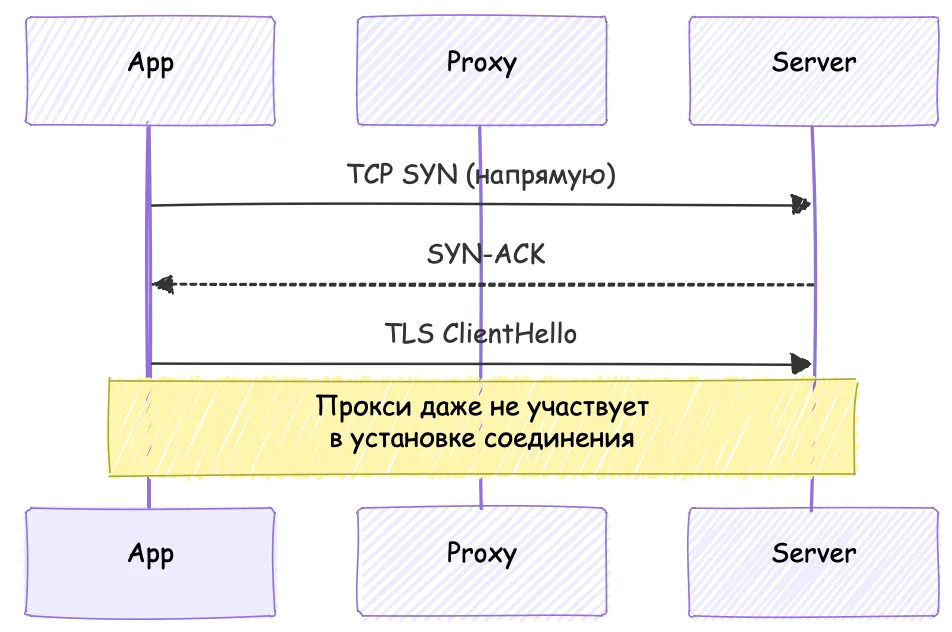
At this point the proxy shows only other traffic (the browser, other apps), and the app you need is not in the list.
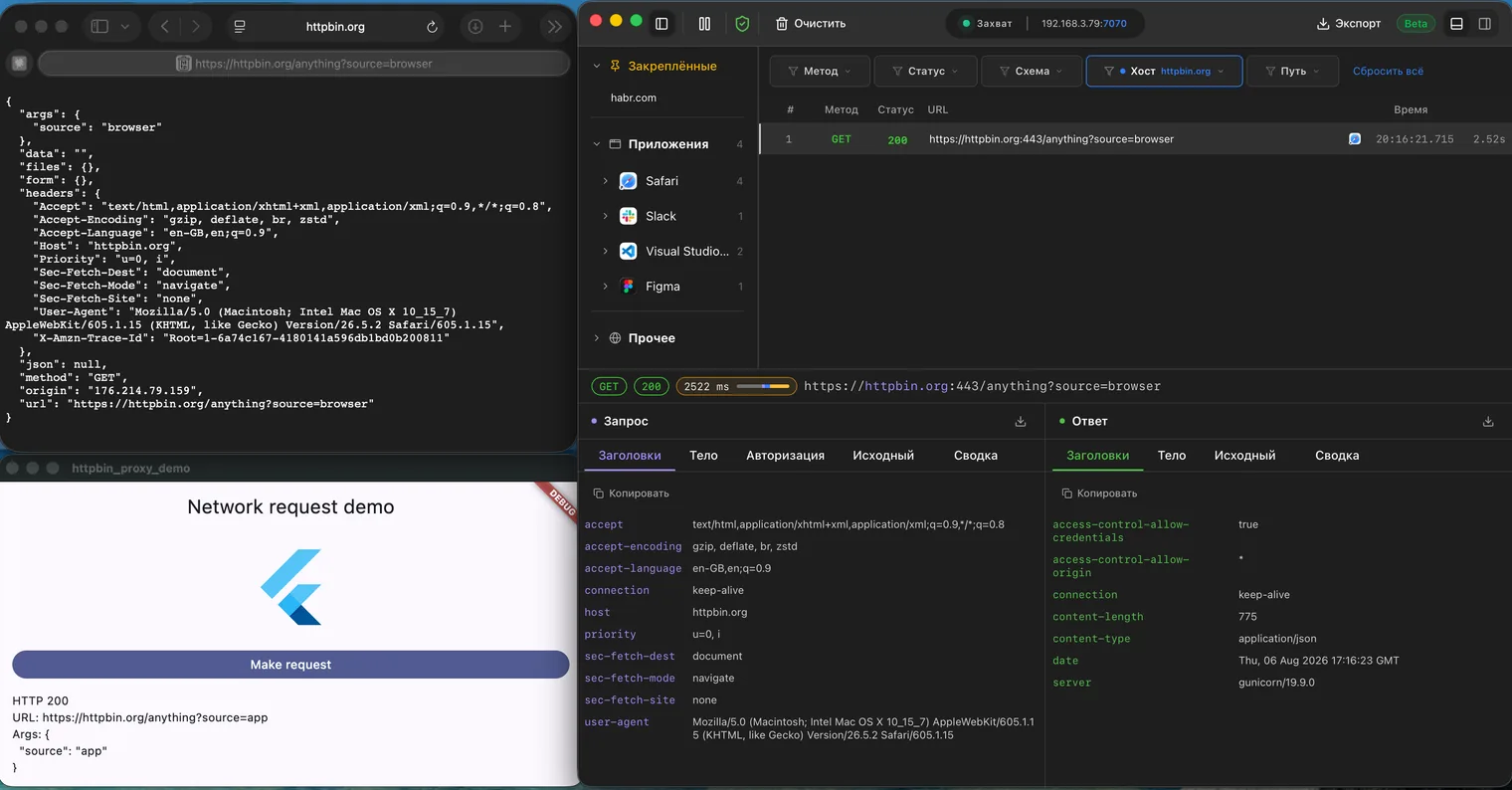
Only the request from Safari came through
2. The app uses the proxy but does not trust its certificate
The traffic reaches the proxy, but the TLS handshake fails because the app (or the system) does not trust the proxy's root certificate.
For every host name the proxy generates a leaf certificate on the fly and signs it with its own root certificate authority. The app accepts the substitute certificate only if the proxy's root certificate is in the trust store the app actually consults.
A device may have a system store and a separate user store. On Android 7+ apps trust only the system store by default, and on iOS the configuration profile must be marked as fully trusted; otherwise the certificate is installed but ignored.
In this case, try adding the root certificate to the system store, or allowing the app to use the user store, if that is possible.
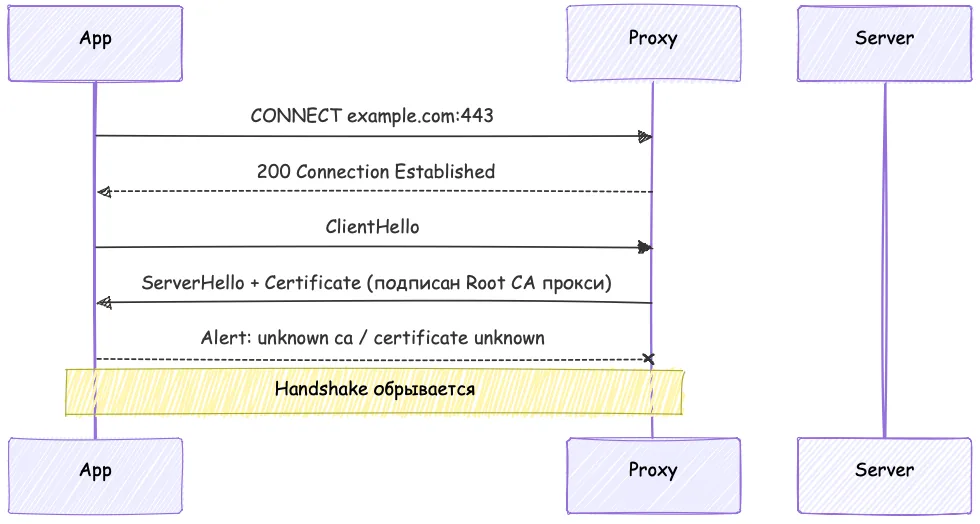
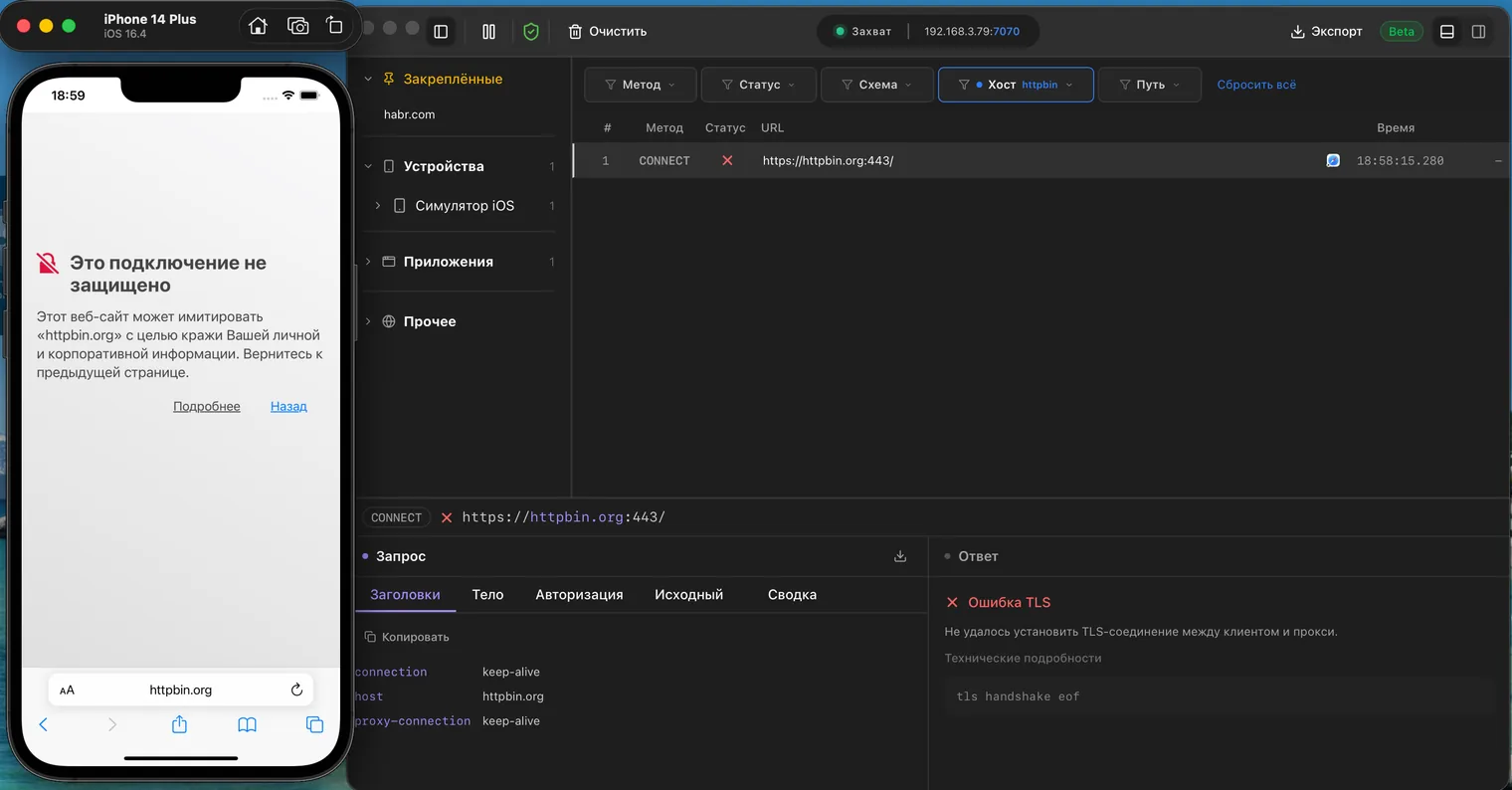
A connection attempt appears and immediately ends with a TLS error
3. The TLS handshake starts, but SSL pinning aborts it before the connection is established
SSL pinning
is common in apps that handle sensitive data. During the connection, after the
usual certificate chain check, the app also checks the server's public key (or the
whole certificate) against a value hard-coded into it (SPKI pin /
certificate pin). The forged leaf certificate carries the proxy's public key, not
the real server's. Even if the system fully trusts the proxy's root certificate
authority, the check fails and the connection is never established.
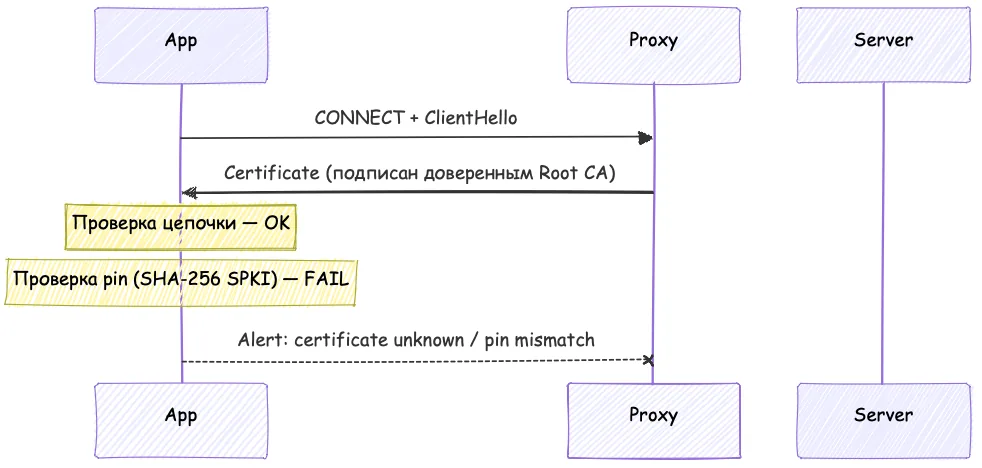
In the interface it looks almost the same as the previous case: a short-lived request with a TLS error. The only differences are the error itself and the fact that the system trusts the certificate while the app does not.
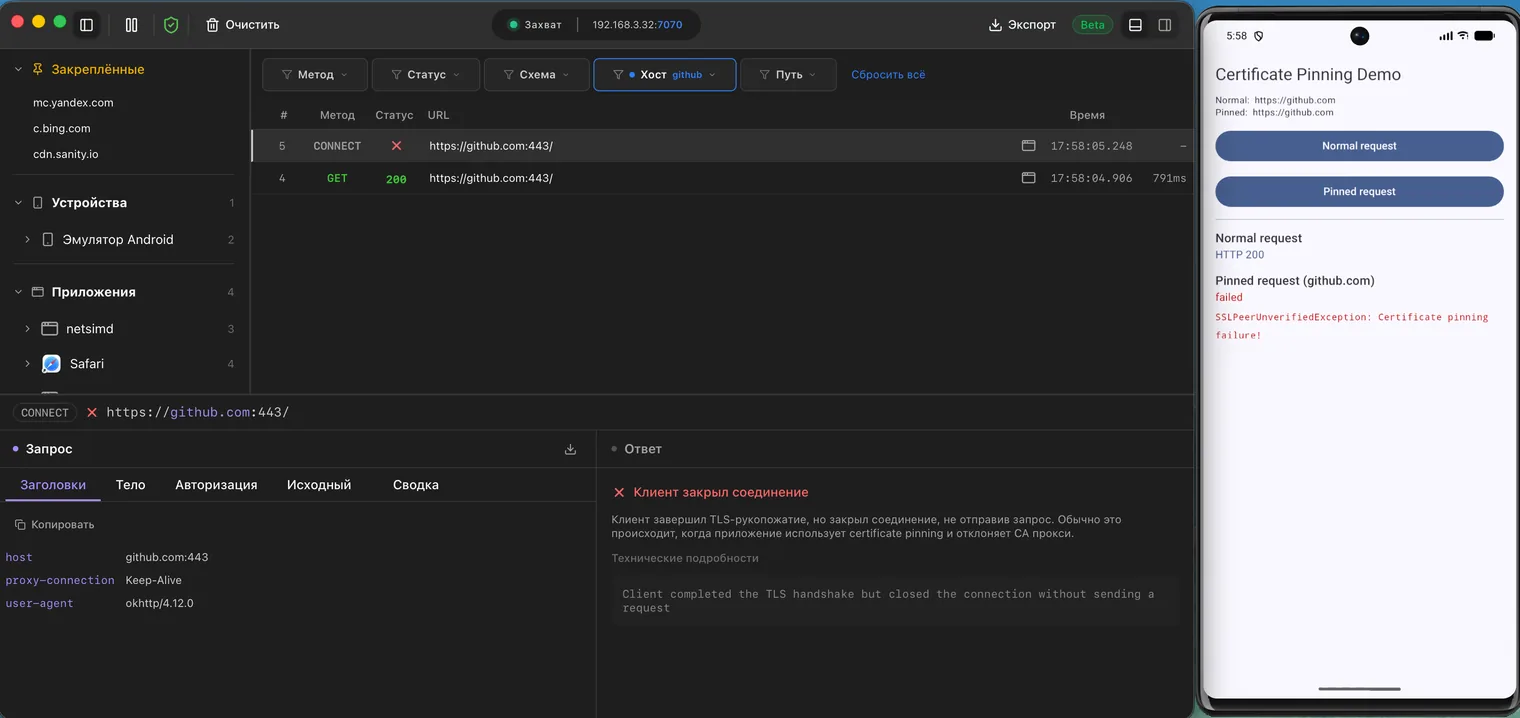
Two requests to the same URL: one went through, the other failed with an error
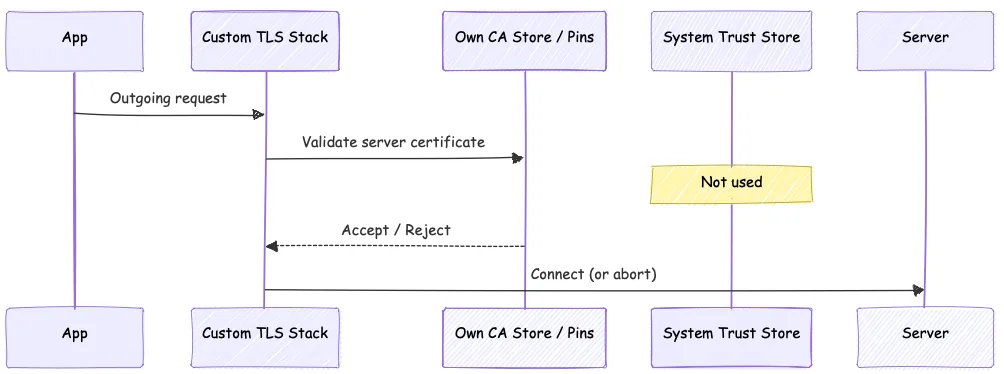
4. The app uses its own TLS stack or a separate certificate store
Some apps use neither the system TLS nor the system certificate store. They either:
- use their own
BoringSSL/OpenSSL/mbedTLS, - or have a built-in trust store,
- or implement pinning inside their own stack.
For example, Firefox on Linux may need the root certificate imported separately, through its own settings, into its own store. Then even a correctly installed system root certificate does nothing for it.
Requests may then go through partly or not at all. Here, for example, the certificate is installed, Curl and Lynx requests run fine, and Firefox balks:
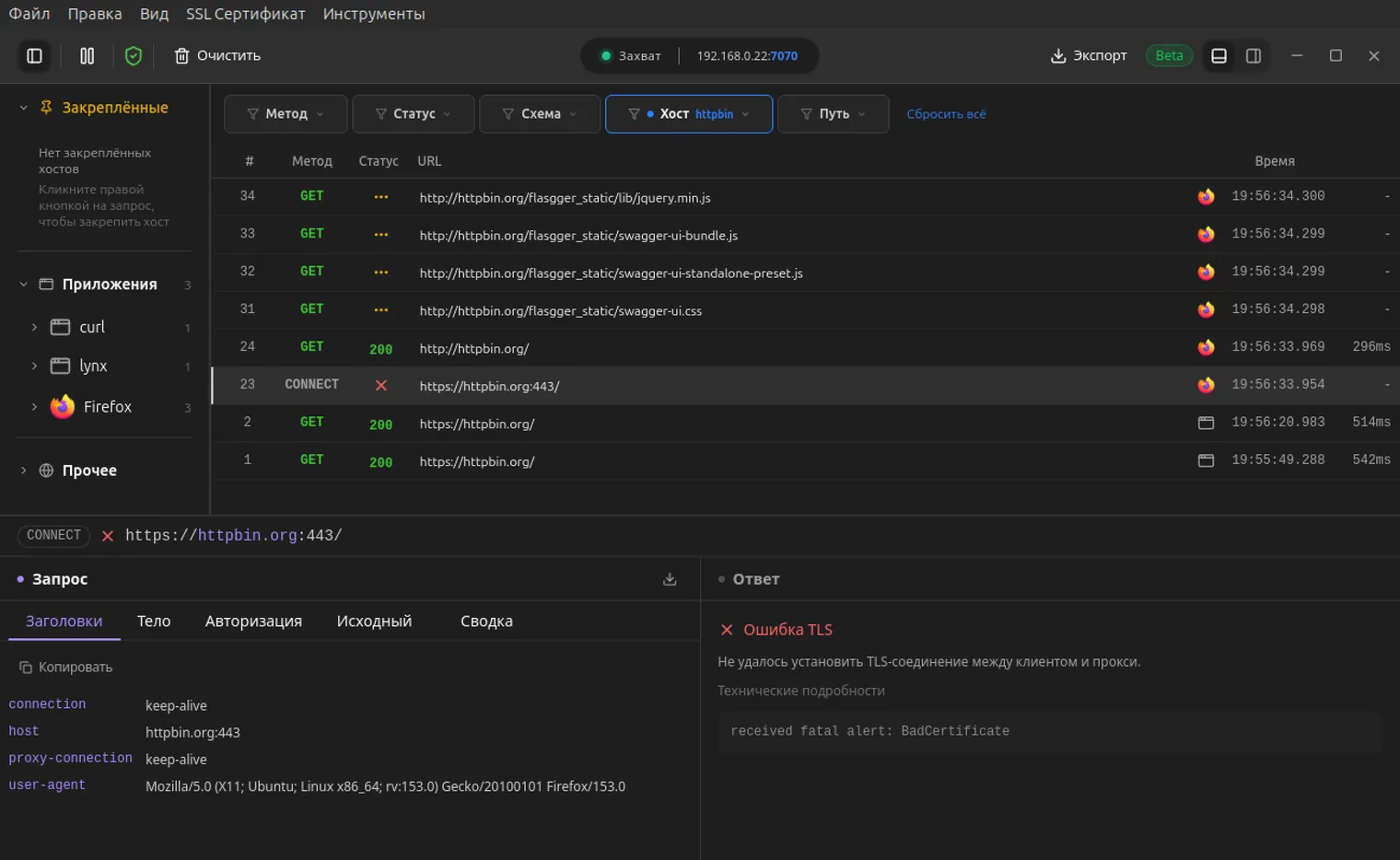
It is the HTTPS request that failed
5. Different parts of the app use different network libraries and channels
A very common case in large apps. The main features go through one HTTP client (which respects the proxy), while analytics, push notifications, WebSockets, image loading and the payment SDK go through another network stack.
As a result, some requests are visible and some are not.
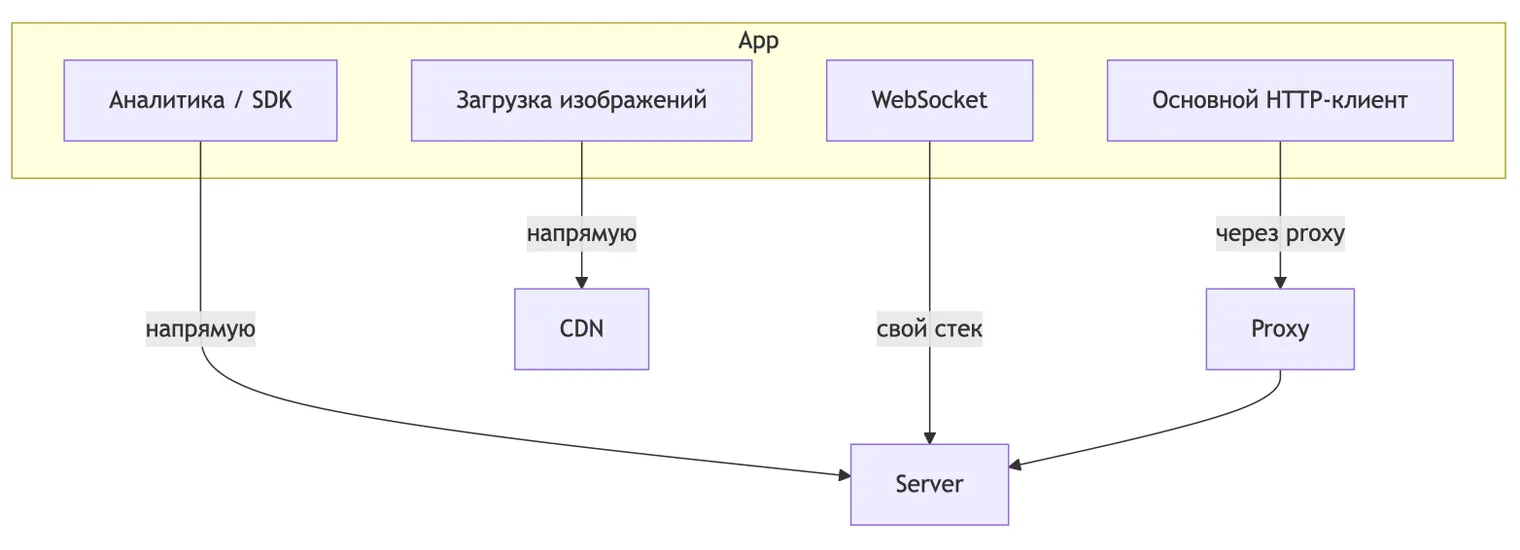
6. The app uses a protocol or transport the particular proxy does not support
Even if the app works through a proxy and does not use pinning, it may use a protocol that the particular proxy supports poorly or not at all.
HTTP/2 needs full support for the binary framing and synchronisation for
stateful HPACK. Many proxies pass only HTTP/1.1 and lose some of the requests.
HTTP/3 / QUIC runs over UDP. Classic debugging proxies are almost always TCP-only. If the network allows UDP/443, the client sets up QUIC directly, bypassing the proxy.
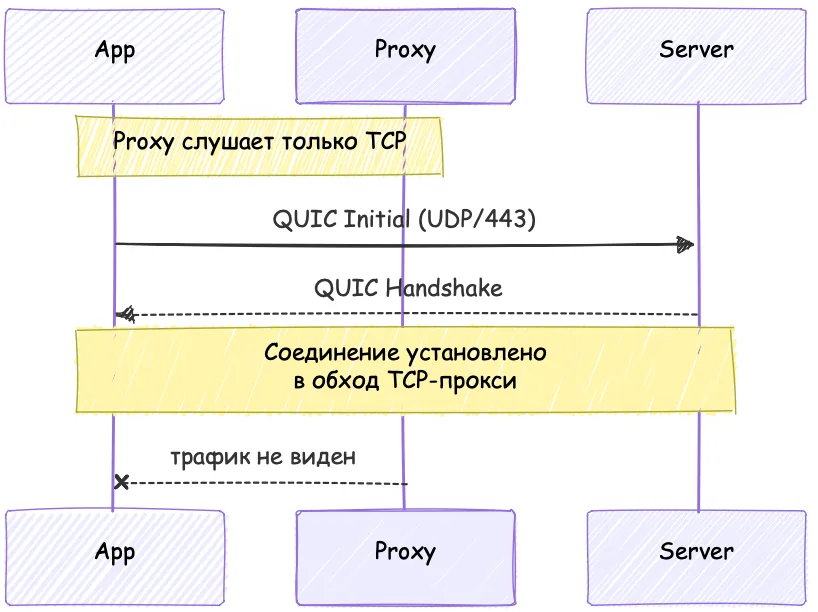
In a TCP proxy that traffic is simply absent, or it turns into HTTP/1 if the origin
supports several connection types (the alt-svc header):
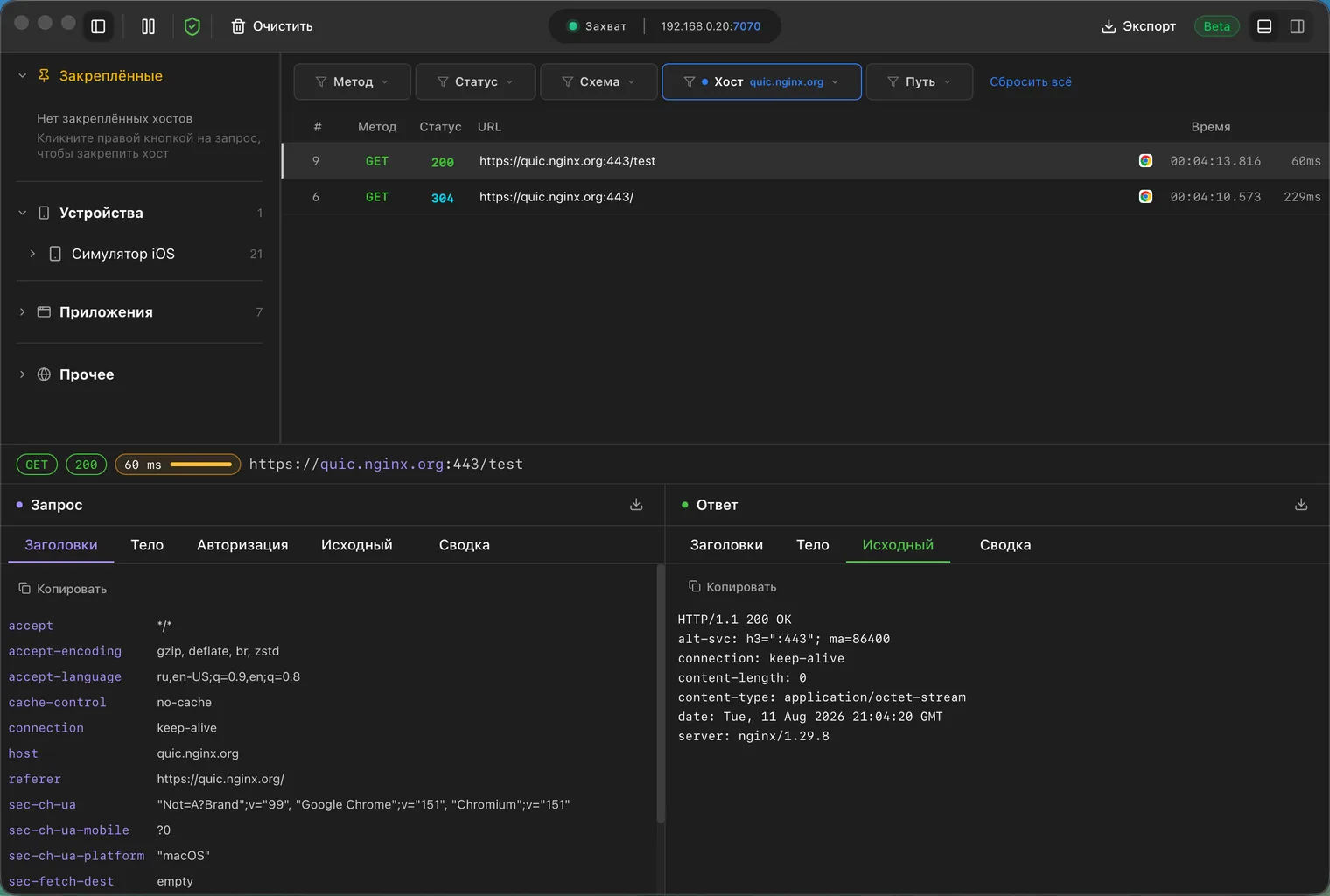
The response is available over HTTP/3, but here we see HTTP/1.1
Conclusion
These are the most common ways apps bypass a proxy. The list is surely not complete; there are more exotic cases. That is why it matters to understand how the networking in the app under test is built, and why it is built that way. Missing traffic in the proxy is far from always a bug: sometimes it is the architecture, or a limit of the tool.
Related
- How to see the traffic from an iPhone or an Android phonePhone and computer on one Wi-Fi, a proxy in the network settings, a root certificate with full trust. Four steps, and the six things that break them.
- Android does not trust the proxy certificateApps built for Android 7+ ignore user-installed CAs. How to allow them in a debug build with network_security_config, and what it will not fix.
- iOS: profile installed, certificate not trustedOn iOS a root certificate takes two steps, not one. The second one is hidden under About, and nothing works without it.